


eSignature Pricing Per User vs Per Document: What Should Businesses Pay? : Signup Now
September 4, 2026 | Posted By Admin
Digital Signature Pricing
Summary
Per-user pricing is more suitable for a relatively
small number of regular senders, and the per-document pricing is for
organizations or departments that only need to sign documents during specific
times of the year. Per user, the better option comes down to your user count,
the number of monthly documents, workflows, and per-document overages. EzSignly
gives businesses a practical option for comparing scalable plans without
treating the advertised monthly fee as the entire cost. A short usage review and
a simple annual calculation can reveal which model offers better value.
Introduction
While e-signatures are used daily throughout much of American commerce - everyone from sales reps drafting agreements and HR folks reviewing applications to small business owners getting contracts signed are leveraging them without a paper envelope in sight - many wonder the best way to fund these digital workflows.
Most providers build their plans around users, documents, envelopes, or a combination of these limits. A low monthly price may look attractive until a company adds more employees or exceeds its sending allowance. An unlimited plan may also waste money when only one person sends a few agreements each month.
Businesses comparing eSignature software
pricing in Chicago, Illinois, should therefore begin with their actual
workflow. Count who prepares and sends documents, how many signature requests
leave the company, and when demand rises. The best plan is the one that
supports normal work at a predictable annual cost—not simply the option with
the lowest price on the screen.
How Per-User eSignature Pricing Works
Under a per-user model, a business pays for each licensed team member, usually every month or year. The plan may include a fixed or unlimited number of signature requests, depending on the provider. If five employees need their accounts, the basic subscription cost is generally the price per user multiplied by five.
This structure is easy to budget when the same people regularly create templates, send documents, and track progress. A company can connect access to job roles and estimate the effect of each new hire. Teams evaluating eSignature software for HR in Chicago may prefer it when recruiters send offer letters and onboarding forms throughout the month.
The weakness appears when licensed employees rarely
send anything. Ten users are expensive if only two people use the platform
weekly. Separate active senders from employees who only receive, review, or
sign. External signers may not need paid accounts.
When Per-Document Pricing Makes Better Sense
Per-document pricing charges according to usage. A “document” may mean one uploaded file, while an “envelope” can contain several files sent together as one transaction. Providers define these terms differently, so businesses must read the limits carefully before comparing prices.
This model can suit low or irregular volume. A consulting firm sending six contracts in a quiet month and twenty during a busy one may pay less for usage than permanent users. It can also work for seasonal hiring, annual renewals, or short projects.
The tradeoff is uncertainty. A sales campaign or
hiring drive can push volume above the allowance, making a cheap plan costly
through overages. This model is safer when demand is measurable and someone
monitors usage.
Compare Both Models Using Real Business Volume
Convert both choices into estimated annual costs. With per-user, you multiply the per-user monthly cost by all users you send to. Then, multiply that by 12 for an annual view, and sum it with other costs, such as added users, additional features, add-ins, and support fees.
Please calculate the cost per completed agreement,
rather than just for each document sent. If customers abandon a confusing
process or staff fix templates manually, a cheaper subscription can cost more
overall. Mobile signing, reminders, templates, signing order, and reporting all
affect real value.
Match eSignature Features to Real Business Needs
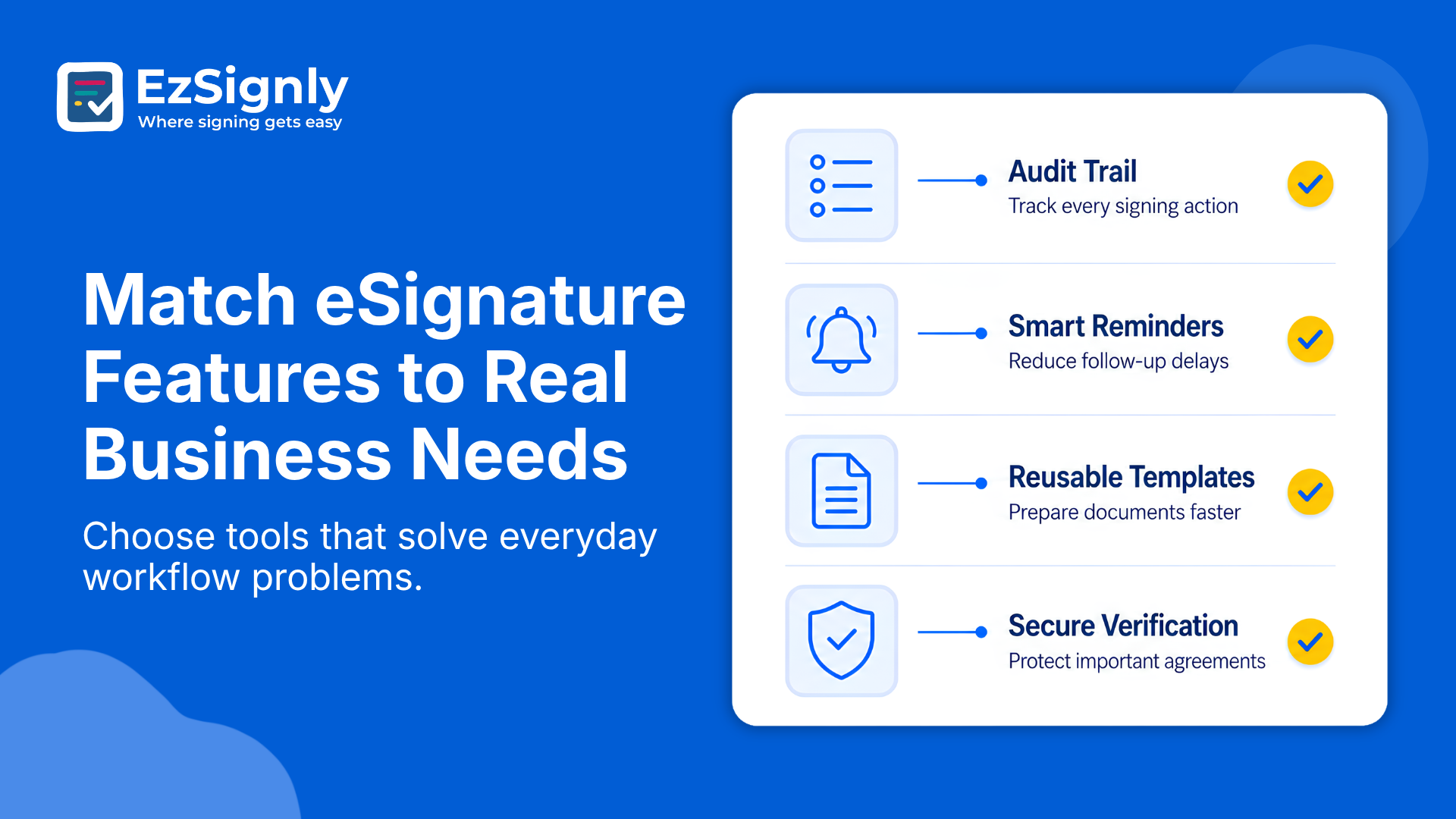
Choose eSignature features that simplify everyday document tasks, not just those that sound impressive on a pricing page. Review audit trails, reusable templates, bulk sending, signer authentication, user permissions, automated reminders, mobile signing, and connections with your existing software. Check document storage limits and customer support, too. Ask providers to explain how each feature supports your signing process, and match it to a task your team regularly handles. This helps your business avoid paying for tools employees seldom use.
Consider who will need e-Signature detailed features in Illinois when your business looks for it. HR departments may need bulk document-sending capabilities and automated employee workflows, with secure authentication and detailed audit trails among their highest priorities.
Download EzSignly’s free 90-day trial to actually use documents so you can
convince everyone company-wide before you commit. A feature only becomes
valuable if it makes you a more accurate and in-control decision maker, an
efficient digital signature administrator, or improves end-signer experience.
Select a tier of service that suits all your functional needs, without
including many things you likely won't ever use at this high a level.
eSignature Software Solution
Hidden Costs That Change the Final Price
Pricing pages often miss important details. A plan may restrict templates, storage, bulk sending, branding, team roles, authentication, and audit records. HR integrations may require a higher tier. Support and implementation can add more charges.
This information matters to owners researching an eSignatures tool for small businesses in Chicago. A three-person company may not need enterprise controls, but it still needs reliable records, secure access, and a simple workflow. Unused features waste money, while missing essentials interrupt work.
Ask each provider for a detailed breakdown of plan
limits, extra charges, and usage rules. Clarify how they define a user,
envelope, completed transaction, and overage. Also check whether unused volume
carries forward, annual payments are refundable, and pricing changes as your
team expands. These questions will help you compare plans fairly and choose the
best value for your business.
Per-User vs. Per-Document Pricing: Which Offers Better Value?
If you have a firm membership and expect shared content with permissions and possibly reports, stick with per-user pricing. It is easier to forecast for teams with steady workflows and provides each sender an individual account.
Choose per-document pricing for low transaction volume, seasonal demand, or occasional access. It can reduce wasted user costs, but the business should set usage alerts. Companies with sharp peaks may need a flexible allowance.
A hybrid plan can provide several users and a document allowance, with higher tiers adding volume or features. Compare current plan details with your numbers before committing.
Review the decision yearly and after major hiring, a business acquisition, or sales expansion. A model suited to five people may become expensive at twenty-five. A document plan may also fail when digital agreements become daily work.
Using active senders, open envelopes, extra volumes,
and unused license reports from a quarterly dashboard makes it easier to review
later and helps purchasing move beyond a habit or a product-oriented statement.
Have any other questions? EzSignly's team is here to help!
Conclusion
One is not automatically more economical than the other: per-user pricing vs. per-document pricing. Per-user plans reward frequent use by a defined team, while per-document plans can control costs for light or uneven demand. The right answer comes from counting active senders, forecasting transactions, checking feature limits, and calculating the full annual expense. Use real workflow data, allow room for growth, and choose the plan that remains predictable when business becomes busy.
Sign Up today and simplify every document
workflow.
FAQs
1. Is per-user eSignature pricing better for a growing team?
A: It can be, especially when several employees send documents every week. However, the business should pay only for people who need sender or administrator access and should monitor how costs change as headcount grows.
2. What counts as a document or envelope in eSignature pricing?
A: The definition varies by provider. One envelope may hold several documents for one signing transaction, while another plan may count every uploaded file separately. Ask for a written definition before comparing allowances.
3. How often should a business review its eSignature plan?
A: Re-evaluate it each year, or if capacity, staffing levels, integrations, or compliance requirements shift. Ensure you track consumption against contracted allowances - noting any overage usage, upgrades, and empty desks.
Take a look at the latest blog
The ROI With AI-Powered for eSign Contract Management Solutions for Chicago Business
AI-powered eSign solutions help Chicago businesses reduce costs, speed up contracts, and boost ROI through smarter automation.
May 11, 2026
From Hours to Seconds: Accelerate Business Productivity with AI eSignature Features
Cut signing time from hours to seconds with AI-powered eSignature features. Boost productivity and keep your business moving faster
April 13, 2026
Are eSignature Features the Answer to the Problems of Inaccessible Work? Book a Demo Today
Make work accessible for every team member with secure, easy-to-use eSignature features. Simplify approvals, reduce delays, and keep documents moving ...
May 18, 2026
What Stops for eSignatures in 2026: All-in-One EzSignly Features – Get Free Trail Today
Explore all-in-one eSignature features with EzSignly for faster, smarter document workflows. Start your free trial today.
May 6, 2026
Have any other questions? EzSignly's team is here to help!
© 2026 Copyright EzSignly. All Rights Reserved