


How EzSignly Turns Document Templates Into Faster Signing Workflows in US: Book a Demo
November 19, 2026 | Posted By Admin
eSign Documents Online
Summary
Most teams rebuild the same agreement repeatedly,
changing only the name and date. This blog shows how EzSignly templates
eliminate that repetitive work, what a template stores, and how they scale to
bulk sending and ordered approvals. It also compares which plan unlocks each
step, looks at real estate and legal use, and ends with habits that keep your
templates accurate and your workflow moving.
Introduction
Somewhere in your company there’s a contract that gets rebuilt every single week: same layout, same signature boxes, and only a name and a date that change. If you’re hunting for the best eSignature solution in Illinois, look closely at how it treats that repeat document, because that’s usually where hours quietly disappear.
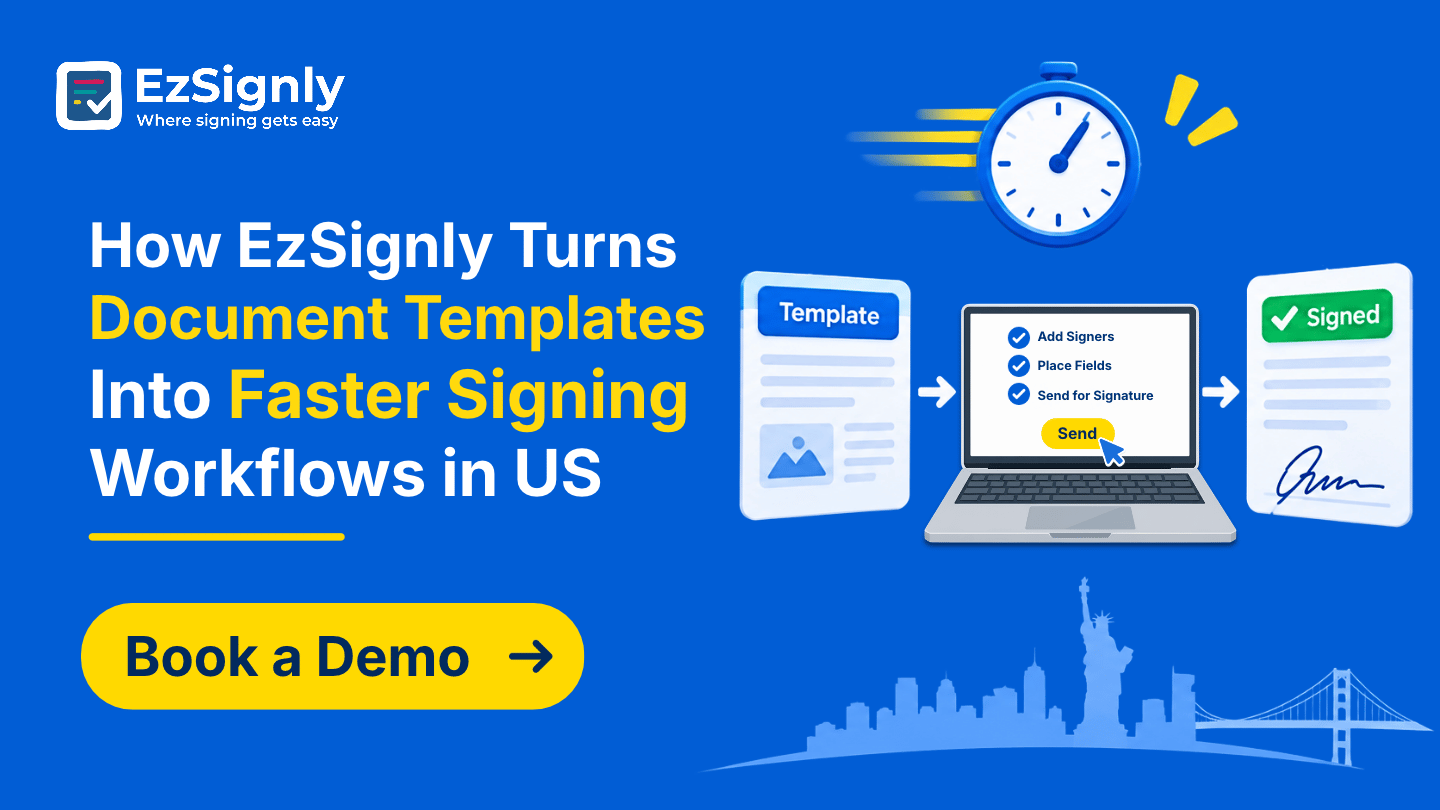
EzSignly’s answer is the template. This blog follows
how a template is built, what it saves, how it grows into bulk sending and
ordered approvals, and which plan unlocks each step. Everything comes from
EzSignly’s own guides and pricing pages, put into plain language.
What a Template Actually Holds
A template stores a lot of information beyond the file. It remembers the setup surrounding it, like where the signature and date fields are, what signer role each field belongs to, the document’s overall layout, and more. Next time, you’re not starting with a blank screen; you’re starting with a document that’s already set up.
That sameness is the quiet benefit. Every client sees the same clause order, every signer finds the same boxes, and nobody forgets the date field on a busy Friday. The only things that change between sends are the recipient’s details, which is exactly how repeat paperwork should behave.
Building Your First One
It's a fairly simple process. You begin by selecting Create Template. Next, you upload your PDF. Then, you add your signer roles. You then move fields to the correct place on your screen and save. You can use the AI option to populate the Document type, subject line, and/or message.
The document you send most often is a great first
template. Name it something descriptive. Once you've set it up, test it by
sending it to yourself and open it on your phone to see how it looks. If the
boxes feel obvious to you in ten seconds, they’ll feel obvious to a stranger
too.
What Each Plan Lets You Do
Cost decides how far you can take this, so here’s the
honest breakdown. For anyone comparing eSignature Software Pricing in
Chicago, Illinois, they should check for all the features that they will be
getting at a reasonable cost. This means that you have to find a cost-effective
way of solving your document signing issues.
From One Send to Many
Templates really pay off with bulk sends. You pick a template that has a single recipient, upload a spreadsheet of names and emails, and EzSignly dispatches the document to everyone at once. Each person gets a private signing link, their own copy, their own audit trail, and their own status, so fifty requests don’t turn into fifty confusions.
The guide gives some examples like HR packets, client agreements, vendor forms, student declarations, etc. If you need to send a document to lots of people, a template can help you, and a spreadsheet can finish the job so nobody needs to type the same info over and over.
Afterwards, tracking keeps you calm. You can see who opened the document, who signed, who is still pending, and which requests expired, so follow-ups go only to the people who need them. Chasing everyone feels exhausting. Chasing the five who haven’t responded feels manageable.
When Order Matters
Some workflows require people to act in a particular
order, and templates can capture that as well. With template-based sequential
signing on the Business plan, a manager can approve the request first, then
finance, then the client, and so on. Each person only receives the document at
their turn. The route is created only once and automatically remembered for
each subsequent request.
Where Deadlines Are Closing Dates
Property work is full of repeat documents. People who are in search of the best real estate eSignature software in Chicago to help them close more deals can send listing agreements, disclosures, and lease addenda, which are usually pretty similar for each client, with a template in just a few minutes.
Remember that there are still some closing steps that
require an in-person document filing, so check with your title company or
attorney about which closing steps can be done 100% online. EzSignly also runs
a separate real estate solutions page if you want to see how the platform
describes these workflows.
Keeping Templates Healthy
Check them from time to time. Update outdated terms and retire outdated versions. Only allow one user to own a template. This is to prevent the template from being altered a lot by multiple users.
The Business plan allows you to provide role-based access. This means you can provide different levels of access to different users. This allows you to protect your company’s standard documents. The Business plan also allows you to provide unique login IDs to your users.
Always test your updates before they go live. Send the
update to yourself. Check the field positions and wording as if you were the
client.
Templates and the Paper Trail
Speed shouldn’t cost you proof. Audit trails and
identity authentication come with Standard and above, recording each signer’s
actions with timestamps. Every send from a template creates its own record, so
a repeat document never loses its history, no matter how many times you use it.
Standard Wording, Serious Documents
Templates provide legal teams with consistency. When learning to eSign Legal Docs in Illinois, you can use sample language for engagement letters, NDAs, and similar agreements. Because of this, you can give your clients standard language that has been reviewed and approved. One accepted template is safer than several versions.
Some documents have their own rules. For instance, a
will or some court filings may require hand signing. For these or other
atypical documents, check with an attorney before sending. A template saves
time, but it never replaces a lawyer’s judgment on high-stakes wording.
Conclusion
Using templates makes the repetitive process of building and checking a document just one more time less tiring. Add bulk send and ordered signing, and the same document moves through your business without anyone rebuilding it. If you’re still weighing the best eSignature solution in Illinois, ask each vendor how they treat the document you send every week.
Tired of rebuilding the same agreement every Monday?
Bring it along, and we’ll help you turn it into a template that sends itself
out faster. Book a demo with EzSignly and set up your first one.
Have any other questions? EzSignly's team is here to help!
FAQs
1. Can I use templates on the free plan?
A: Yes. The Free plan includes two reusable templates, while Standard and above include unlimited templates.
2. Which plan includes bulk send?
A: Bulk send is available on the Business plan and above. You choose a template with one recipient, upload a spreadsheet of recipients, and send to everyone at once.
3. Does each bulk recipient get their own record?
A: Yes. Each recipient receives a private signing link, their own copy, their own audit trail, and their own status.
Take a look at the latest blog
DocuSign Alternatives 2025: Top 5 Best e-Signature Software Compared
Looking for an affordable DocuSign alternative in 2025? We evaluated top eSignature tools including EzSignly, Adobe Sign, PandaDoc to find which offer...
October 30, 2025
End-to-End Employee Lifecycle Management with EzSignly eSignature Platform
Manage the complete employee lifecycle—from onboarding to exit—using EzSignly’s secure, paperless eSignature platform.
March 2, 2026
EzSignly vs padadoc eSignature Platforms: Which Saves More Time?
Compare EzSignly and PandaDoc to see which eSignature solution delivers quicker approvals, smoother HR processes, and better productivity for growing ...
May 26, 2026
Features vs Cost: A Complete and Updated Comparison of EzSignly eSignature Plans
Compare EzSignly eSignature plans by features and pricing to find the best option for your digital document signing needs.
March 10, 2026
Have any other questions? EzSignly's team is here to help!
© 2026 Copyright EzSignly. All Rights Reserved