


Reduce Paper Usage in the Workplace & Save Thousands with eSignatures
April 16, 2026 | Posted By Admin
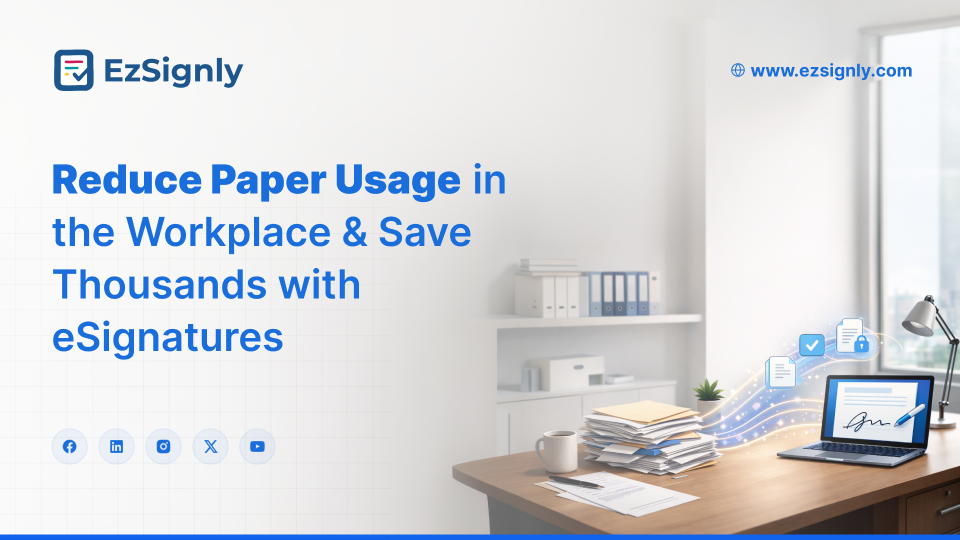
Paperless Signing Tool
Summary
American SMEs spend $8,000 to $25,000 per year on
paper, printing, and document storage. Switching to eSignatures cuts those
costs by up to 80% and speeds up approvals. This guide breaks down how
paper-heavy workflows drain your budget and how electronic signatures fix that,
with real numbers and a clear path to getting started.
Table of Contents
1. The Real Cost of Paper in American Workplaces
2. Where Paper Waste Hits SMEs the Hardest
3. eSignatures vs. Paper: A Direct Comparison
4. Five Ways eSignatures Save You Real Money
5. What to Look for in an eSignature Platform
6. How to Make the Switch Without Disrupting Your Team
7. FAQs
The Real Cost of Paper vs Electronic Signature Software in the USA
Most business owners never add up what paper actually costs them. It feels like pocket change. A ream here, a toner cartridge there, a filing cabinet every couple of years. But the average US office worker uses about 10,000 sheets of paper per year. For a company with 20 employees, that is 200,000 sheets annually before you count printers, ink, maintenance contracts, filing cabinets, and the office square footage those cabinets occupy.
US businesses collectively spend more than $120 billion a year on printed forms that become outdated within three months. For small and mid-sized companies on tight margins, those wasted dollars are profit walking out the door.
Then add the labor. Employees spend 40% of their
workday looking for information locked in paper files. Nearly half of a paid
workday goes toward hunting down documents instead of doing actual work.
Businesses should plan and switch to the best eSignature software to
save money, as well as time and make the best of their available resources.
Where Paper Waste Reduction Matters Most for SMEs
Paper waste does not affect every department equally. Some areas bleed more than others.
HR and Onboarding: A single new-hire packet can run 30 to 50 pages. Multiply that by monthly hires and you have a stack of paper that costs real money to print, sign, scan, file, and eventually shred. Many HR leaders are now turning to platforms that qualify as HR online signature software in Illinois and across the country because they cut onboarding paperwork from days to under an hour.
Legal and Compliance: Law firms and in-house legal teams handle contracts, NDAs, amendments, and retainer agreements daily. A single real estate closing can generate over 100 pages. Firms searching for a reliable legal e-signature solution in Illinois often find that going digital also reduces their malpractice exposure, because every action is time-stamped and tracked.
Sales and Procurement:
Proposals, purchase orders, vendor agreements, and renewal contracts. Every
paper-based touchpoint adds days to your sales cycle and increases the risk of
lost or misfiled documents. When a prospect has to print, sign, scan, and email
back a proposal, you lose momentum. Digital signing closes that gap to minutes.
eSignatures vs. Paper: A Direct Comparison
Here is where the math gets simple. Below is a side-by-side comparison of the average 25-person SME's paper-based signing costs versus the cost of an eSignature workflow.
| Cost Category | Paper-Based Workflow (Annual) | eSignature Workflow (Annual) |
| Paper and Printing | $4,200 | $0 |
| Ink and Toner | $2,800 | $0 |
| Printer Maintenance | $1,500 | $0 |
| Physical Filing and Storage | $3,600 | $0 |
| Document Retrieval Labor | $6,000 | $400 |
| Shipping and Courier Costs | $2,400 | $0 |
| eSignature Platform | $0 | $1,200 – $3,000 |
| Total | $20,500 | $1,600 – $3,400 |
That is a potential saving of $17,000 or more per year. For a five-person company, the percentage savings are similar, often 75% to 85%.
The difference is not just financial. Paper workflows
take 5 days to complete a signed document. eSignature workflows bring that down
to under 37 minutes. Speed matters when you are trying to close a deal or
onboard an employee before a competitor does.
Have any other questions? EzSignly's team is here to help!
5 Ways Electronic Signatures Deliver Cost Savings for SMEs
1. You stop paying for things you do not need.
Printers, toner, filing cabinets, storage units, shredding services. All of those line items disappear or shrink dramatically when you move to digital.
2. Your team gets faster.
Contracts go out, get signed, and come back in the same day. You do not lose deals because a document sat on someone's desk over the weekend. This is why companies researching the best electronic signature software consistently rank speed as the top benefit. Businesses that achieve measurable Paper Waste Reduction also report a 70% drop in document errors because digital forms eliminate the illegible handwriting and missing-field problems that plague paper, leading directly to Cost Savings with Electronic Signatures that show up on your bottom line within the first quarter.
3. Compliance becomes automatic.
Every e-Sign comes with an audit trail. You know who signed, when, from what IP address, and whether the document was altered. For companies that handle HIPAA, SOX, or state-specific regulations, that audit trail is not a nice-to-have. It is a requirement. Businesses exploring the difference between a digital signature and an electronic signature should know that digital signatures use certificate-based encryption for identity verification, while electronic signatures cover a broader range of methods. Many firms now prefer an electronic signature approach because it gives their teams the ability to sign from anywhere without installing desktop software, a benefit that matters when your workforce is hybrid or fully remote.
4. You reduce your environmental footprint.
This is not about greenwashing. Going paperless has real, trackable environmental benefits. The average office that switches to eSignatures saves roughly 8 trees per year. That matters to your customers, your employees, and increasingly, to the investors and partners evaluating your ESG commitments. Companies looking to eSign at the Lowest Price in Illinois are finding that budget-friendly platforms deliver the same environmental and operational benefits as enterprise-tier competitors.
5. You future-proof your operations.
For teams that want to save money, affordable e-Sign software for SMBs starts at less than $10 per user per month. Budget eSignature software for small businesses often comes with features like bulk sending and template libraries that used to be only available in premium tiers. Most providers also offer a free demo so your team can try out the workflow before spending any money. Some are enterprise-priced with features you will never touch. Others are too bare-bones to handle real business needs.
Here is what matters.
Legal compliance. Make sure the platform meets ESIGN Act and UETA requirements. If you operate in regulated industries, look for HIPAA and SOC 2 compliance as well.
Ease of use. Your team should be able to send a document for signature in under two minutes with no training. If the platform needs a tutorial, it is too complicated.
Integrations. Your e-Signature tool should connect to your CRM, HRIS, cloud storage, and accounting software without custom development.
Pricing transparency. Avoid platforms that charge per envelope or per signature. Look for flat monthly pricing. Companies that want E-Signature at the Best Price should compare annual plans, which typically save 20% to 30% over monthly billing. Many providers now offer a 90 days free trial that gives your team enough runway to test every feature and measure real ROI before entering a paid plan.
Mobile access. Your clients and team members sign from their phones. The platform needs to work well on mobile without needing a separate app install.
This is where businesses see real Cost Savings with
Electronic Signatures, especially in high-volume workflows like HR and
sales.
How to Make the Switch Without Disrupting Your Team
Switching from paper to eSignatures does not have to be a big project. You do not need to go fully paperless overnight. Start with one department or one document type. Most SMEs begin with eSignatures for HR onboarding packets or sales proposals because those are high-volume workflows where the time savings are immediately visible.
Run both systems in parallel for 30 days. Let your team see the time savings firsthand. Once they stop printing contracts on their own, the transition is working.
Set a firm cutoff date. After 60 days, remove the option to print and sign. Teams that leave the paper option open never fully commit.
Measure results monthly. Track pages printed, signing time, and document error rates. When people see a 90% drop in print volume, they become advocates for the new process.
Ready to cut your paper costs by 80% or more? Start
with a free trial, test it on your highest-volume workflow, and let the numbers
make the decision for you.
FAQs
Q1: Are eSignatures legally binding for SMEs in the United States?
Yes. Under the ESIGN Act (2000) and UETA (adopted by 49 states), electronic signatures carry the same legal weight as handwritten signatures for nearly all business transactions. There are only a few exceptions, like wills and certain court orders. eSignatures are fully enforceable for everyday contracts, HR documents, and vendor agreements.
Q2: How much can a small business realistically save by switching to eSignatures?
A 10-person company typically saves $5,000 to $12,000 in the first year, covering paper, printing, storage, courier fees, and labor. Companies processing more than 200 documents per month often see ROI within the first 60 days.
Q3: What happens if a signer disputes an electronically signed document?
Every e-Signature platform generates a detailed audit trail recording the signer's email, IP address, timestamp, and document hash. This evidence is admissible in court and often stronger than what is available for a disputed wet-ink signature, where there is typically no chain-of-custody documentation.
Take a look at the latest blog
Why Businesses Choose EzSignly for AI-Powered eSignatures in 2026
Businesses choose EzSignly for its AI-powered automation, secure eSignatures, and fast, hassle-free document workflows.
April 10, 2026
Features vs Cost: A Complete and Updated Comparison of EzSignly eSignature Plans
Compare EzSignly eSignature plans by features and pricing to find the best option for your digital document signing needs.
March 10, 2026
The Definitive Guide to the Best eSign Service for Small Businesses in Chicago
It means you can avoid waiting and speed up your document signing process using EzSignly’s e-signature service—making approvals faster, easier, and mo...
May 5, 2026
Why HR Teams Need AI-Powered eSignature Software for Compliance and Data Protection
AI-powered eSignature software helps HR teams ensure compliance and protect sensitive data with secure, automated document signing.
March 23, 2026
Have any other questions? EzSignly's team is here to help!
© 2026 Copyright EzSignly. All Rights Reserved