


The Paperwork Era Is Ending: How eSignatures Are Uncovering and Fixing Real Estate Delays
August 31, 2026 | Posted By Admin
Paperless Signing Tool
Summary
Dealing with the mountain of paperwork, approval
bottlenecks, and annoying delays in your closings? Streamline the process with
digital e-signature technology. EzSignly helps cut down on paperwork to
accelerate closings while providing a fantastic experience for your clients.
This blog explores common closing challenges, U.S. e-signature requirements,
and how integrating electronic signing into real estate portals can support
smoother transactions.
Introduction
The inspection is done. The buyer is ready. The moving
truck is booked. Then someone asks, “Did the seller sign the latest addendum?”
Suddenly your closers are swimming in emails instead of preparing for closing.
Even in the states where paper closing has kept business relatively smoothly
flowing, this situation can quickly turn what might have been a pretty smooth
transaction into an absolute nightmare. That is why interest in eSignature
for real estate in USA goes beyond replacing a pen. The bigger
opportunity is making delays visible before they disrupt the deal. When
reviewing online signature features in the US, focus on tools that reveal
document status, guide signers, and preserve records. Less paper is useful.
Fewer unanswered questions are even better.
Your Closing Isn’t Slow—Your Paperwork Handoffs Are
A purchase agreement might pass through several people before reaching the closing team. Every download, email attachment, and manual reminder creates another opportunity for confusion.
Consider a hypothetical Chicago condo sale. The buyer signs an inspection amendment, but the seller receives an earlier version. Both parties believe they have finished. The mismatch surfaces when the transaction coordinator reviews the file.
Electronic signing can reduce this confusion when
everyone works from the same approved document. Clearly assigned recipients and
visible completion status help distinguish “sent” from “signed.” Still,
software cannot resolve an appraisal gap or clear a title defect. Its value is
removing avoidable administrative waiting so professionals can concentrate on
the issues that actually require negotiation, research, or approval.
Stop Guessing: See Exactly Where Signatures Get Stuck
“We’re waiting on paperwork” is not a useful status update. Which document? Which person? What needs to happen next? On some platforms, your activity log shows when the invitation was sent, opened, and signed. That visibility changes the follow-up conversation.
An unopened invitation might call for an email address verification A document opened repeatedly without completion might signal confusion about a clause. An unfinished signature request could mean that a required participant was overlooked.
None of these clues proves what happened. They simply
help the coordinator ask better questions instead of sending another generic
reminder. Assign one person to review outstanding requests daily. Track how
long documents spend at each stage and record why they stall. Over time,
repeated delays can expose unclear instructions, unnecessary approval steps, or
forms that need rewriting.
Missing Initials, Meet Your Match: Prevent Signing Errors
A missing initial looks minor until it triggers another round of calls while everyone is trying to finish the transaction.
Required fields, reusable templates, and signer-specific assignments can help prevent incomplete submissions. Before sending a package, verify names, property details, dates, and signature locations. A template only saves time when its contents are correct.
Test the recipient experience, too. Can buyers read
the document comfortably on a phone? Can they ask questions before signing? Is
it clear how to save the completed copy? If you are evaluating eSignature
Online Free in Illinois, use sample documents first. Check sending limits,
authentication options, record exports, and support before uploading sensitive
client information. The cheapest tool is not necessarily the most economical
choice if your team must spend hours correcting documents or retrieving records
later.
Different States, One Deal: Keep Everyone Moving
An Arizona seller, a New York buyer, and a Florida investment partner should not automatically mean three overnight envelopes. Electronic signing can help eligible documents move between participants without coordinating a physical meeting. Signing order can also prevent a package from advancing before the appropriate person has completed their part.
However, signing electronically and notarizing remotely are different processes. Confirm what the lender, title company, notary, and recording office will accept before promising a fully digital closing.
Some transactions use hybrid closings: certain
documents are signed electronically, while others require paper signatures.
Fannie Mae describes both hybrid and fully electronic workflows, including
separate requirements for electronic promissory notes. Set expectations early.
A planned in-person appointment is manageable. Discovering an unexpected
notarization requirement the evening before closing is not ideal.
Faster Doesn’t Mean Cutting Legal Corners
Speed matters, but an electronic signature is not a shortcut around transaction requirements. The federal ESIGN Act generally prevents covered records and contracts from rejection merely because they are electronic. Other requirements still apply, including applicable consumer consent and electronic-record retention rules. Electronic signing does not automatically make every agreement enforceable.
When it comes to covered mortgages, understanding the e-Signature detailed features in Illinois is essential for both lenders and borrowers. Illinois law requires that borrowers receive the Closing Disclosure at least three business days before closing, and this requirement remains unchanged even when documents are delivered electronically. In other words, using e-signature tools to send disclosures does not shorten or eliminate the mandatory review period.
Consult your closing team to identify which documents can use e-signatures and which require traditional formalities like wet-ink signatures or notarization. Knowing the specific electronic signature features—including compliance rules, accepted formats, and authentication standards—helps ensure a smooth and legally sound closing process.
Finally, ensure that all completed documents and
supporting records, whether signed electronically or by hand, are properly
preserved. Clients should always have convenient access to copies of their
signed documents for their personal records and future reference. For
transaction-specific legal questions, consult a qualified attorney. Faster
administration should support careful decisions, not pressure clients to sign
before they
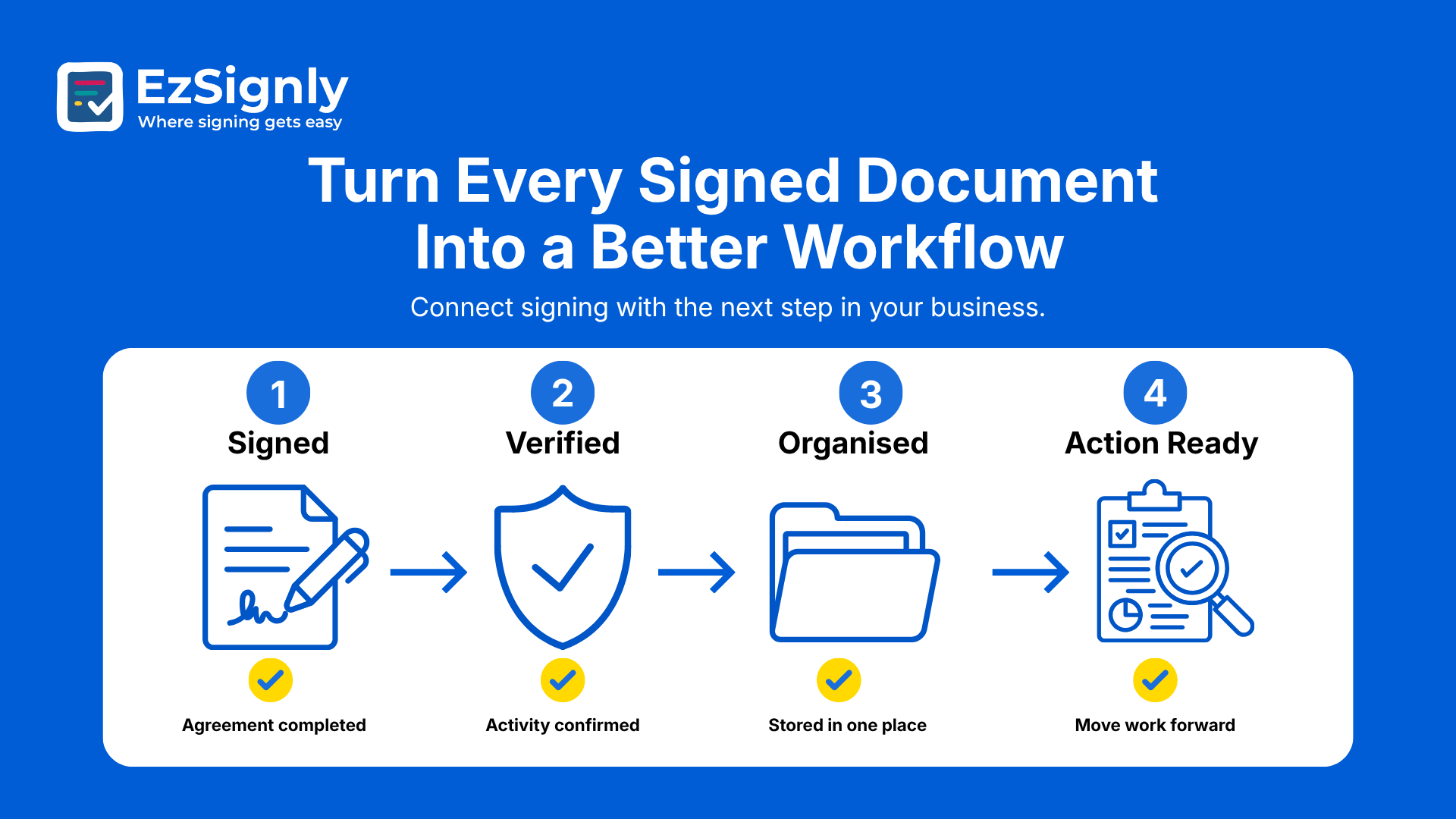
Turn Every Signed Document Into a Better Workflow
Adding a signing tool without changing the process can simply move the same confusion onto a screen. Beginning with just one document that occurs multiple times—an example would be listing agreements or accepted addendums—define the signer, preparer, validator, and keeper of the returned document. A legally valid binding eSignature (wet eSignature) is based on a signed ceremony, not the transfer of an image of a signature. The team has clearly defined roles, technology that facilitates the signature process, and human expertise. The intent is to close with fewer surprises, not just to close at record speeds.
Best electronic document signing
Then test how your chosen solution works with your transaction portal. Confirm combination availability, field mapping, access controls, and error handling rather than assuming every connection is automatic. When considering EzSignly, assess it against these practical requirements using a realistic sample transaction. Review completion time, correction requests, staff follow-ups, and client questions. Let's consider what we can gain and what this outcome tells us about the process's performance.
Unbundle signing time and overall closing time. Then
you can differentiate between closing hiccups due to loan products, title
clearing or title issues, or delays in recording/settlement systems and your
process improvements. Roll it out incrementally once your pilot is running
well. Standardize what works, document exceptions, and train the team before
introducing more complicated closing packages.
Have any other questions? EzSignly's team is here to help!
Conclusion
With real estate closings, the ideal scenario involves turning over keys, not racing to get signatures. E-signatures make for seamless transactions by helping you identify missing paperwork, reducing administrative follow-ups and organization time, and ensuring clarity through clear ownership and reviews. A successful closing balances these technologies and a responsible touch to ensure timely transactions without undue paperwork woes and surprises for everyone.
👉Ready
for smoother real estate paperwork? Explore EzSignly today.
FAQs
Q: What if a seller signs an outdated purchase addendum?
A: Notify the transaction coordinator immediately. Preserve the existing record and have the responsible professionals identify the correct version and required next steps. Do not silently replace a signed document or assume the newer terms have been accepted.
Q: Can two buyers use one email address to sign?
A: Platform capabilities vary, but each buyer’s signature must be separately attributable. Ask how the system distinguishes signers and verifies identity. Separate invitations and individual authentication can help avoid confusion; never sign on someone else’s behalf without appropriate authority.
Q: What happens if the price changes after electronic signing?
A: Do not edit the executed agreement directly. Have the agent or attorney prepare the appropriate amendment and obtain required approvals and signatures. Ask the lender whether revised loan disclosures or other closing documents are necessary before confirming the closing date.
Take a look at the latest blog
Upgrade Your Business with eSignatures in Illinois: How They Work & Get a Free Demo
Upgrade your Illinois business with fast, secure eSignatures—learn how they work and get a free demo.
April 10, 2026
Losing Deals Due to Slow Document Signing? Fix It with Faster eSignatures Today
Losing deals due to slow signing? Speed up approvals with secure eSignatures. Start faster today.
April 21, 2026
From Trust to Profit: How eSignature Software Accelerates Business Growth
Discover how eSignature software builds customer trust, speeds up approvals, and streamlines workflows—helping businesses close deals faster and boost...
February 26, 2026
From Manual to Instant: AI eSignatures That Accelerate Business Operations
Replace manual signing with AI eSignatures to speed up approvals and streamline operations.
April 13, 2026
Have any other questions? EzSignly's team is here to help!
© 2026 Copyright EzSignly. All Rights Reserved