


How Bulk eSignatures Simplify HR Document Management: Cost and Time Compared
September 28, 2026 | Posted By Admin
Electronic Signature for HR Solution
Summary
Sending one agreement to many people at once turns
days of chasing into a single afternoon of work. This guide weighs paper, email
threads, and bulk dispatch on speed, price, and legal safety for US people-ops
departments. You’ll find real pricing examples, a pricing table, and a simple
buying checklist.
Introduction
Every hiring round comes with the same headache: 40
new employees, 10 documents each, and a spreadsheet that somehow never seems to
match your inbox. Slow paperwork delays start dates, frustrates candidates, and
pulls skilled people away from meaningful work. If you are searching for an electronic
signature solution human resources in Illinois can rely on, you probably
want proof before choosing anything. This article shows how one-to-many
distribution compares with paper and email on hours and dollars, what US law
says about validity, and which buying criteria matter most. Whether you run a ten-person
office or a growing staffing desk, you will leave with numbers and a plan.
What Mass Distribution Changes on a Busy Hiring Day
A bulk signature workflow makes things easier: upload a template once, add your contact list, and send personalized copies to dozens or even hundreds of recipients at once. Each recipient still receives a private link and personal fields, so details stay separate. A live dashboard shows who’s done, who’s not, and who needs a nudge - no more digging through emails.
Why does that matter? Chasing people eats calendars. A
study cited by a renowned online document signing platform found that more than
25 percent of HR leaders spend a quarter to half of their working hours
managing paperwork flows. Candidates feel the drag too: a Cella survey found
one in four abandoned a prospect because the process dragged on.
Speed Compared: Paper, Email Threads, and Mass Sends
Here is how the three common routines behave when you need fifty completed packets.
| Method | Hands-on steps per recipient | Status |
| Paper and Scan | 5 (print, ink, scan, return, file) | Manual Tally |
| 4 (attach, send, nudge, save) | Mailbox Search | |
| Bulk Dispatch | 0 after the first upload | Live Dashboard |
Picture a staffing desk onboarding sixty seasonal
workers. By hand, that is a separate message, reminder, and download for each
person. Delivered together, it is one upload, one contact list, and one screen
to watch. Fewer touches also mean fewer typos, missing dates, and half-finished
pages. The gains are documented. Small offices feel this most, and an
eSignature Solution for small business in Chicago can shorten that runway
without adding headcount.
Cost Compared: What Hard Copy Quietly Charges You
Various platforms publish different savings estimates, which is worth knowing before you build a budget. An acclaimed document signature platform says customers save an average of $36 per agreement while signing digitally. AI estimates $10 to $20 per form in postage, materials, and handling. Treat that spread as a range, since your figure depends on mailing habits and staff pay.
Interested in learning how digitizing your onboarding
process can help you save costs? Paper forms need to be printed, scanned,
filled out, and taken care of administratively - digital forms, on the other
hand? Less stress for you. And when you've got a whole cohort to get signed up?
Treat it as a platform estimate and test it against your own volume. Delay has
a price tag too. One recruiting guide estimates that an unfilled role can cost
around $500 a day. At that rate, just one week of hiring delays could cost a
five-person office more than a full year of seat fees. Add courier charges and
filing space, and the true bill grows quickly.
Is Mass Sending Legally Safe in Illinois?
What is the legal status of Illinois e-signatures? You might already know about the federal ESIGN (2000) law - the ESIGN Act (federal) or the Illinois Uniform Electronic Transactions Act (815 ILCS 333). Both laws recognize electronic signatures as legally valid and enforceable, provided the parties consent to conduct the transaction electronically and the electronic signature is associated with the relevant electronic record.
In addition, any employment files can be part of a salary or termination disagreement.
As a result, you'll want an e-signature tool for legal documents in Illinois that provides a safeguard by recording time, IP, and other evidence of tamper-proof.
You can personalize documents by customizing certain
fields so that only the relevant information is visible to you. However, some
documents, such as wills and certain court orders, may still require a wet-ink
signature. And remember, e-signatures are a convenient tool, but they’re not a
substitute for legal advice when you need it.
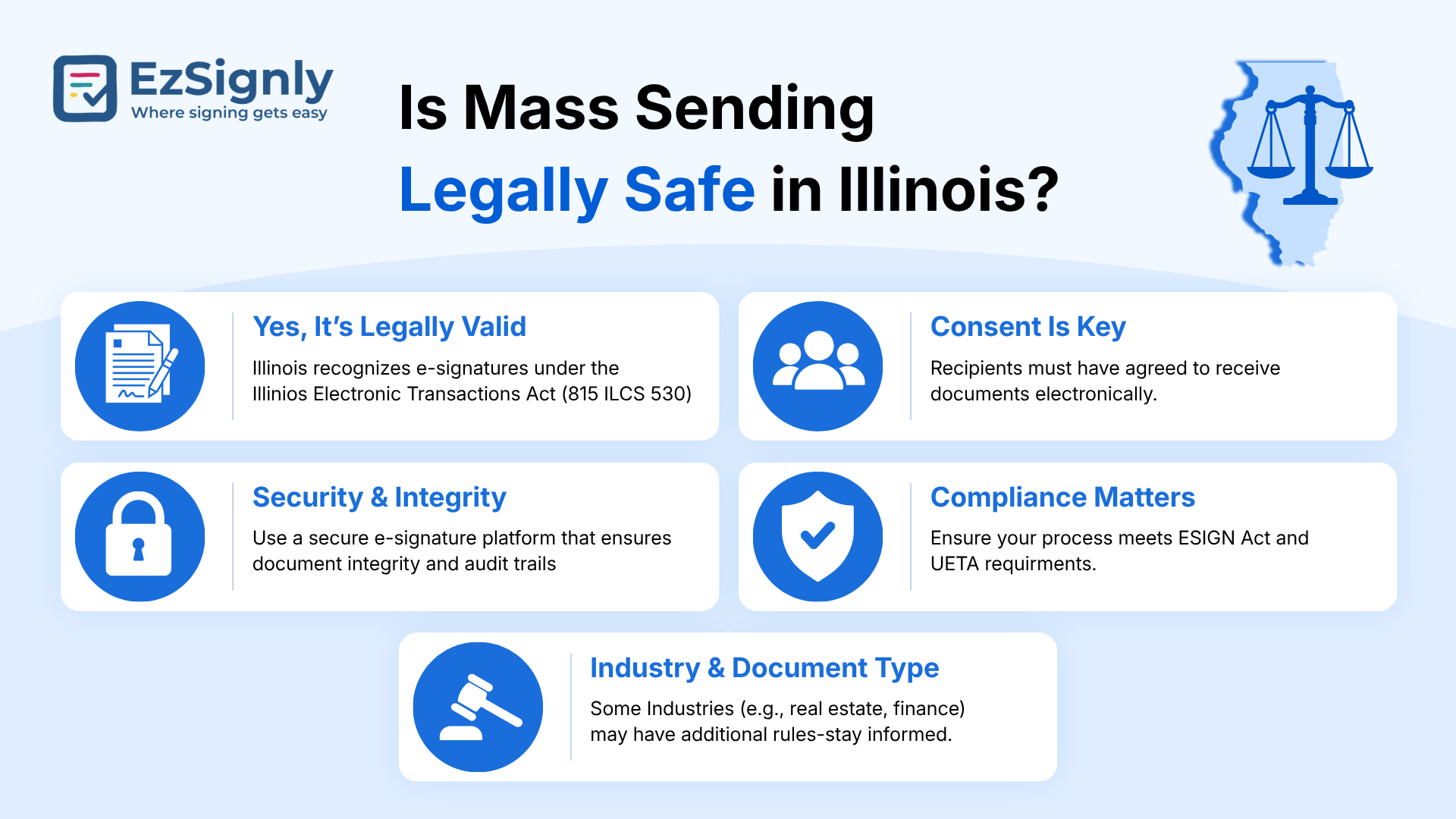
Electronic Signature for Legal Documents
Pricing Compared: Where Volume Features Hide
Top-ranking guides from different global leads with per-agreement savings, yet many skip the fine print: envelope caps, add-on fees, and yearly totals. Here is a snapshot.
| Platform | Monthly price per user | Catch to check |
| EzSignly Business | $15 ($10.50 when billed annually) | Batch sends sit in this tier; the free version allows 3 envelopes |
| DocuSign Business Pro | $65 monthly ($40 when billed annually) | 100 envelopes per user yearly; SMS extra |
| PandaDoc Business | $65 monthly ($49 when billed annually) | Batch sends are add-ons; the realistic total is approx. $70 to $80 |
Prices can change, so it’s worth checking each
platform’s website before you sign up. And if you have a three-person team, the
difference really adds up - you could be paying around $31.50 a month with one
option versus $120 with another.
Where EzSignly Fits Without the Sales Pitch
This platform is one option in that field, built for smaller HR departments. Interested in making the offers flow? The $10.50 plan includes bulk sending, unlimited templates, automated reminders, audit trails, and role-based access, with features designed to support compliance with ESIGN, UETA, and applicable GDPR requirements.
You can use one offer template for all in a batch and see how it goes live in real time. Anyone weighing a cost-effective eSignature solution in Chicago can start on the free version to test the workflow before paying.
Looking for the right fit? The best part of people-ops
is free templates, reminders, and a trail of audit questions if and when you go
further. Here’s the best way to know for sure: try it with your own letters and
contact list, then see how the results stack up against your actual files.
Five Questions to Ask Before You Pick a Platform
1. Does your plan include batch sending at a price that fits your budget?
2. Is there a limit on how many documents you can send, or are there extra fees per send?
3. Does each recipient receive their own personalized fields and secure link?
4. Does the platform keep a time-stamped record of every action?
5. Is the platform easy enough for a new user to learn in just a few hours?
If a platform cannot answer all five plainly, keep looking.
Have any other questions? EzSignly's team is here to help!
Conclusion
Mass distribution is the rare upgrade that saves hours and dollars together. Published estimates put paper and inbox routines between $10 and $36 per document, add days to each start date, and leave thin records if a dispute lands. Tired of feeling bogged down by admin? Use a one-to-many workflow, with the right elements of consent and a robust audit trail, to make it easier. And remember: small wins are best when paired with short waiting periods, tidier notes, and less work in the middle of the night. Just try it: pick a recurring form (a policy acknowledgment, maybe), sign up for a free trial, and see how it compares to what you already have. Numbers from your own team will beat any benchmark.
Start Your Free eSignature Trial
FAQs
Q: How many people can receive one mass send?
A: Capacity depends on the platform and tier. EzSignly's pricing page mentions hundreds of recipients in a few clicks, while others cap sends by subscription level, so check limits first.
Q: Can new hires sign from their phones?
A: Yes. Multi-device access is listed across all plans, so starters can finish from a phone or laptop.
Q: What happens when someone ignores the request?
A: Automated reminders and notifications nudge them, while the dashboard keeps pending items visible for follow-up.
Take a look at the latest blog
Navigating the Future of Electronic Signatures: Market Growth and Business Impact in 2026
The use of electronic signatures is growing beyond the scope of signature authorization of a document. In the year 2026, electronic signatures symboli...
January 30, 2026
Transforming Digital Workflows into Growth Opportunities with eSignatures
Empower your business to move faster and smarter by integrating eSignatures into your workflows, improving speed, security, and scalability.
February 24, 2026
The eSignature Pricing Trap in US: Know More About Enterprise-Level Features in 2026
Plans for enterprise eSignature can conceal additional expenses for automation, security, connectors, and compliance. Compare total expenses in 2026 b...
August 27, 2026
Maximize ROI on Your Business Through eSignature Software: Get 3 Months Free Trail
Maximize your business ROI with eSignature software. Automate workflows, save time, and get a 3-month free trial today.
July 21, 2026
Have any other questions? EzSignly's team is here to help!
© 2026 Copyright EzSignly. All Rights Reserved