


How HR Team Can Track Outstanding Employee Signature Requests Using e-Signature Tool
October 9, 2026 | Posted By Admin
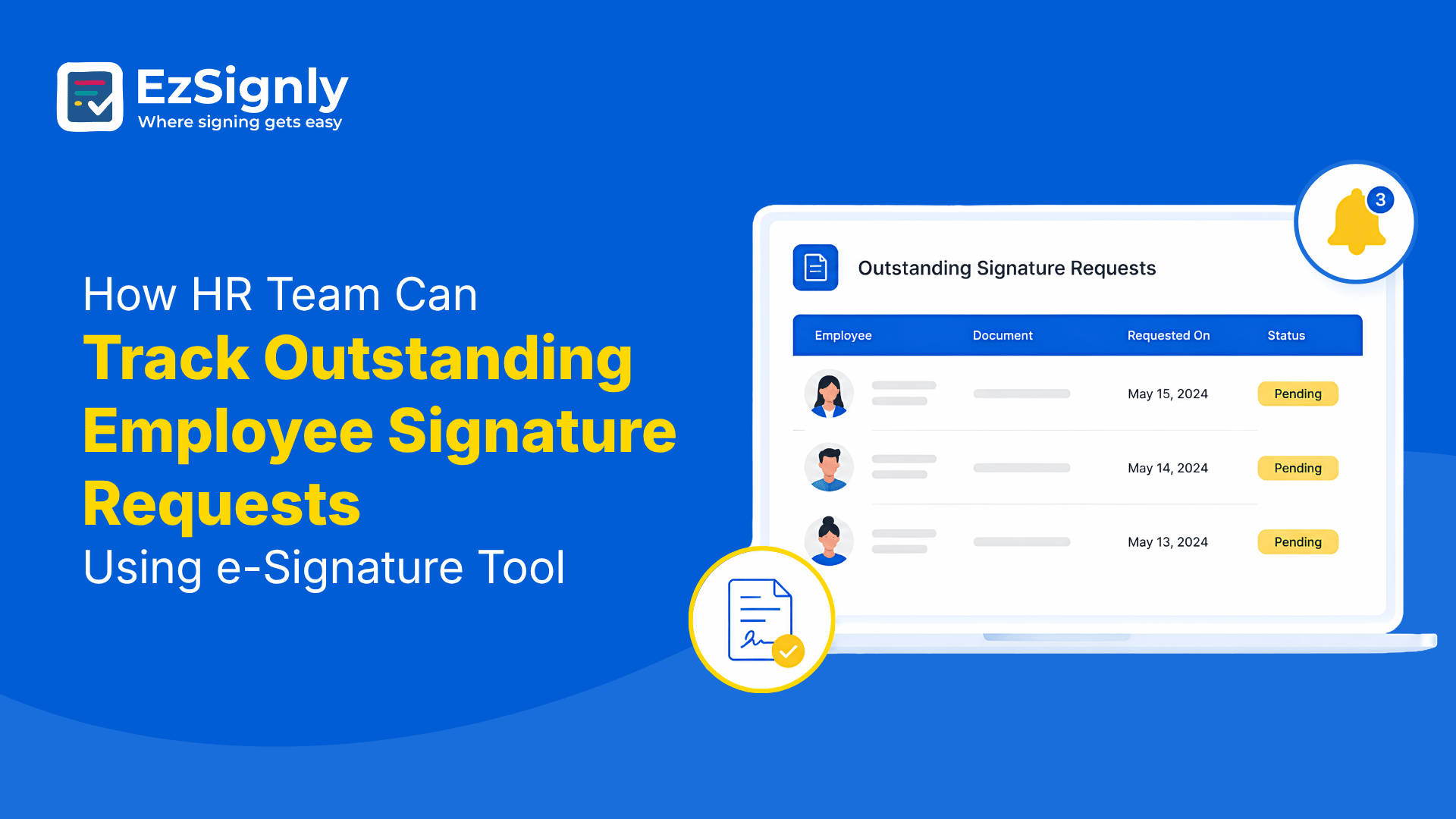
Electronic Signature for HR Solution
Summary
Getting a document signed is often only half the job.
The other half is to track and figure out who has signed outstanding ones and
who has not. The HR has to be equipped with all these concerns, because of
which, more important tasks that need human attention often get missed. An
eSignature tool offers Teams a structured workflow to see what has to be done
and by whom. Otherwise, the work might get very messy and overloaded. Learn how
HR teams can make their work easier with EzSignly by using its various features.
Introduction
Ask a team about paperwork, and there is a good chance this question comes up sooner or later: “Has everyone signed?”
One employee may have signed an employment agreement in the morning. Another may have opened theirs but forgotten about it. The third one may not have even seen the email. On the other hand, a human resources team spends their time on inboxes, attachments, and remembering which one belongs to which person.
This becomes a tiring job during onboarding periods
when several employees are joining at once. For teams using eSignature
software for HR in USA, having a clear view of pending requests can take a
surprisingly annoying task off the daily to-do list.
You Don't Need a Spreadsheet to Find Missing Signatures
Spreadsheets can be useful for many tasks. However, they become unnecessary when they turn into a manual tracker.
Every time somebody does any activity related to signatures, the spreadsheet needs updating. If a document is sent again, another note gets added. Then someone has to make sure the information is still accurate.
There is nothing wrong with the spreadsheet itself. The issue arises when a person has to do the work that software can already handle.
EzSignly is good with real-time tracking of documents with the help of a unified dashboard. It also features automated reminders to help with pending requests.
Start With the Documents That Are Actually Pending
If an employee has already signed, there is little reason for them to spend another five minutes checking that record.
The status stands as the starting point instead of
pushing someone to track every record from scratch.
A Reminder Should Not Depend on A Person
Teams have enough things to remember. If a new employee is getting onboarded, a manager authorises the approval and a background-check consent form too. Someone has not returned an NDA. Then another candidate joins the process.
It is easy for one signature request to slip through
the cracks. EzSignly includes automated reminders and notifications, so people
don't have to manually send the same “Just following up” email for every
pending document. Its workflow is specifically built around keeping pages
moving while showing their current status.
Tracking Becomes More Important During Bulk Hiring
When someone has to send similar paperwork or records to various people to be hired, the actual workload becomes noticeable in this situation. Sending each offer letter individually, checking each response and following up one by one would create a lot of repetitive work.
EzSignly's Bulk Send feature is designed for this sort of situation. Its page says teams can send hundreds of offer letters or agreements at once, while the platform tracks signing activity.
That combination matters. Sending pages quickly helps,
but knowing what happened after they were sent keeps the process manageable.
The Connection of Cost With Tracking
It is tempting to look at an eSignature subscription as another expense. A better question is what the team is currently spending on manual follow-ups.
The spreadsheet, email thread, and document need to be checked. And the final task is to download the signed copy and file it.
EzSignly's present plans start with a Free one at $0 per user per month, a Standard plan at $7 per user per month, which includes audit trails, and a Business plan which adds features such as bulk sending, sequential signing and role-based access control.
Teams who have to compare eSignature Software
Cost in Chicago, Illinois should look beyond the monthly rates and
take into view how much manual tracking the software could replace.
One Place for Documents Makes Follow-Up Easier
There is another small problem with manual signing: information gets scattered.
An offer letter might be in one email. The NDA may be in another. A manager's approval could be sitting in a separate thread. The team may have a folder containing completed ones but no easy way to see which ones are still waiting.
EzSignly's Smart Dashboard is intended to bring activity into one workspace. The homepage displays it as a place to view the status, pending actions, timelines and activity.
This central view is helpful when more than one person is handling employee paperwork.
When Someone Else Needs an Update
This is also helpful for members to have a common reference point to check the current status and respond instead of depending on the person who remembers the latest update.
Companies checking eSignature Software for
Businesses in Chicago, Illinois, need this shared platform. Other teams can
have their own workflows while the business maintains a more structured
way of handling signatures.
Not Every Pending Request Needs the Same Follow-Up
This is where activity becomes more useful than a simple “pending” label.
Imagine three employees have not completed their documents. One has not opened the request. One opened it yesterday but has not signed. One has contacted human resource with a question.
The first may need a reminder. The second may simply need another push. The third needs a conversation.
Tracking is not used to see why someone has not
signed. It gives useful insight into what has happened so far, which can make
the next step better.
Multiple Companies Can Make Tracking Even Trickier
Things become more complex when an organisation has several companies, brands or subsidiaries.
Human resources teams might have to deal with different employees, each with their own access or permissions. So if they keep everything in a common account, it can make it difficult to know which paperwork belongs where.
EzSignly's Multi-Account Hub is designed for
organisations managing multiple entities. For businesses looking at an eSignature
Tool for Multiple Companies in Chicago, this platform is useful for
managing paperwork across several firms but does not want employees repeatedly
switching between separate systems.
The Audit Trail Answers the Questions That Come Later
Sometimes the question is not “Has it been signed?” but “What happened to it?”
That can matter months after onboarding is complete. EzSignly's solution includes audit trails with verified and timestamped signing records. Its pricing comparison also lists Audit Trail as a feature from the Standard plan upward.
An audit trail gives the organisation a record of activity instead of leaving the history buried in email conversations. For human resources, that can make reviews and internal checks easier.
It also gives the team something concrete to refer to
when there is uncertainty about a particular signing request.
Conclusion
There will always be some files that need attention. That part of human resources is not going away. The extra work is to spend time figuring out the files that have pending signatures in the first place.
That’s why a good eSignature workflow is helpful in providing a clean framework for outstanding signatures.
EzSignly brings those pieces together through
real-time tracking, reminders, templates, bulk sending, team collaboration, and
activity. For a team, that can make a fairly ordinary part of the job feel much
less chaotic.
Have any other questions? EzSignly's team is here to help!
FAQs
1. Can HR see which employees have not signed a document?
A: Yes. EzSignly's workflow provides real-time tracking so teams can see whether agreements have been viewed, signed or declined.
2. Can EzSignly send reminders for outstanding signatures?
A: Yes. Automated reminders and notifications are available, helping teams follow up on pending requests without manually sending every reminder.
3. Does EzSignly keep a record of signing activity?
A: Yes. Audit trails record document activity and timestamped signing information. The current pricing comparison lists audit trails on the Standard, Business and Business Pro plans.
Take a look at the latest blog
Can an Electronic Signature for Employment Documents Ensure Smarter Hiring?
By using modern eSignature software like EzSignly to sign documents digitally, HR teams can remove friction from recruitment workflows and create a tr...
January 22, 2026
What are the Compliance Risks in Traditional Document Signing Methods: Book a Demo Now
Traditional document signing can cause compliance, security, and tracking issues. Book a demo now to simplify and secure your document workflow.
May 8, 2026
A Complete Guide to Choosing the Right eSignature Software in 2026
A quick guide to choosing the right eSignature software in 2026 based on features, security, pricing, and compliance.
February 17, 2026
How EzSignly Protects Sensitive HR Data with Secure Online eSignature Tools
EzSignly secures sensitive HR data with encrypted, compliant eSignature tools, ensuring safe document sharing and protected access.
March 3, 2026
Have any other questions? EzSignly's team is here to help!
© 2026 Copyright EzSignly. All Rights Reserved