


A Complete Guide to Choosing the Right eSignature Software in 2026
February 17, 2026 | Posted By Admin
Electronic Signing Software
With a sea of new tools emerging every day, choosing
the right eSignature software for all businesses is challenging. The
ability to sign contracts, whether that means closing deals, bringing on new
staff members, or completing necessary legal forms, is of tremendous
significance in determining how efficiently work will flow.
Key Takeaways
- In 2026, the signature step is the point where revenue, hiring, and approvals officially begin, which is why businesses are investing in better eSignature workflows.
- The biggest difference between average and high-quality eSignature platforms is the strength of the audit trail, tamper protection, and record retention.
- For Illinois businesses, choosing the right tool matters most when documents may later need to be proven, defended, or retrieved quickly.
- Most teams underestimate how much time is lost to follow-ups; automated reminders and real-time tracking are often the features that deliver the highest ROI.
- Pricing decisions in 2026 are shifting from “lowest cost” to “lowest risk,” which is why eSignature Pricing for all Businesses in USA is increasingly evaluated based on security, scalability, and compliance readiness.
This guide covers what businesses need to know when
choosing an eSignature software in Illinois, that make electronic
signatures enforceable.
What is an eSignature?
An eSign, or electronic signature, is any digital method used to show intent to sign a document. This can be as simple as typing a name, drawing a signature on a touchscreen, clicking an “I Agree” button, or using a more secure certificate-based process.
Today, electronic signatures are standard for modern business. They became widely adopted once legal frameworks caught up in the early 2000s, and their use accelerated rapidly as remote and hybrid work became normal. Compared to traditional wet ink signing, eSignatures remove delays caused by printing, scanning, and shipping.
Electronic signatures also exist on a spectrum. Basic
eSignatures are fast and convenient, while digital signatures add stronger
cryptographic verification and tamper-evident sealing for high-risk or
regulated documents.
Why eSignatures Matter More Than Ever
The classic method of signing has always been bad because you have to print, sign, scan and mail the document. But with all businesses going digital and lots of people working from home, printing and signing documents manually is more of an inconvenience than it was.
Signing documents on paper can take a long time; includes overhead costs of stationery; and presents security problems. Adopting the right eSignature software in Illinois means documents can be signed anywhere, on any device, with audit trails and security that match legal requirements.
It also supports compliance with laws such as the
ESIGN Act, UETA, and similar frameworks ensuring the legal enforceability of
electronic signatures. In 2026, the expectation is simple: signing should be
fast, secure, and built into workflows, not an afterthought.
Best E-signature Software
What Organizations Are Looking For Today
Choosing an eSignature solution today is about accelerating business execution and reducing risk. When evaluating options, forward-looking teams are prioritizing:
- Ease
of Use:
A clean, intuitive interface ensures higher adoption across internal teams and external partners.
- Security
and Compliance:
A platform must have encryption, tamper-evident records, secure storage, and compliance with legal frameworks to ensure signed documents stand up in audits and legal reviews.
- Integration
with Existing Tools:
Seamless workflows, for example, signing from within a CRM, HR system, or document repository, remove steps and reduce errors.
- Automation
and Templates:
Built-in templates and automated reminders eliminate repetitive tasks and reduce administrative work.
- Scalability:
Choose a right business tools that has room for growth without price increases as you grow from small to large user base. Assessment of these items in advance will help selection of solution which will grow with business over time.
How to Start Choosing the Right Solution
Here’s a practical approach to finding the eSignature platform that matches your needs.
1. Understand Your Signing Needs
Before you start comparing tools, get clear on what you’ll be signing, how often, and who will sign. Are you mostly sending NDAs and agreements? Does your HR team need onboarding workflows? Will you be integrating with sales tools? Your answers shape the shortlist.
2. Map Out Must-Have Features
Not all eSignature platforms offer the same capabilities. Make a list of features that matter to you:
- Unlimited templates
- Bulk sending and automated reminders
- Audit trails and legal defensibility
- Mobile signing support
- Integration with business systems
Considering these upfront will save time when reviewing solutions.
3. Evaluate Security and Legal Compliance
Security isn’t optional, it’s foundational. Look for strong encryption, identity verification options, and clear audit logs. These characteristics will make sure your signed documents remain protected and can be defended at court. You should also ensure that the type of e-signature used by the tool you are using meets the required signature laws applicable in your jurisdiction such as ESIGN or UETA in the USA.
4. Compare Pricing with Value in Mind
Price is not the only consideration. Even though there is a wide range of prices across e-signature solutions, the emphasis should be placed on the overall value you are receiving from your investment; including time savings, compliance assistance and return on investment.
5. Use Free Trials and Demos
Many eSignature providers have free trials or demos you can use to test the actual workflow, such as document preparation through signature tracking.
Essential Features to Consider. When you're looking for eSignature software in Illinois, there are a few essential features that will help you distinguish between simple eSignature tools and full, business-ready eSignature systems.
- Security and Legal Compliance
Your eSignature solution should provide secure encryption, clear audit trails, and evidence logs that show who signed what, when, and how.
- Ease of Document Preparation
Look for drag-and-drop field placement, pre-filled templates, and support for multiple file types. The easier it is to prepare a document, the faster your workflows will move.
- Mobile Signing Support
Business doesn’t stop when someone is out of the office. A platform that allows signing on phones and tablets improves completion rates and makes it simple for clients and partners.
- Automation and Tracking
Automated reminders, completion alerts, and a
real-time tracking dashboard help you manage documents without manual
follow-ups. Features like unlimited reminders help keep workflows moving.
Have any other questions? EzSignly's team is here to help!
Advantages of eSignatures
Using eSignatures offers clear benefits that go far beyond just replacing pen and paper.
- Faster Turnaround
eSignatures cut days or weeks off your document cycles, helping teams close deals, hire staff, or approve vendors more quickly.
- Cost Savings
Reduced printing, mailing, and manual tracking translate directly into savings.
- Improved Security
Built-in encryption and access controls protect sensitive agreements and help with compliance.
- Better Recordkeeping
Audit trails and stored digital records reduce the risk of lost documents and simplify audits.
- Enhanced Professionalism
Digital workflows create a smoother experience for clients, partners, and employees.
- Scalability Across Teams
From HR to legal to sales, eSignatures work for any department and support growing business needs.
These benefits are why many organizations now embed
eSignatures into core workflows, not treat them as optional add-ons.
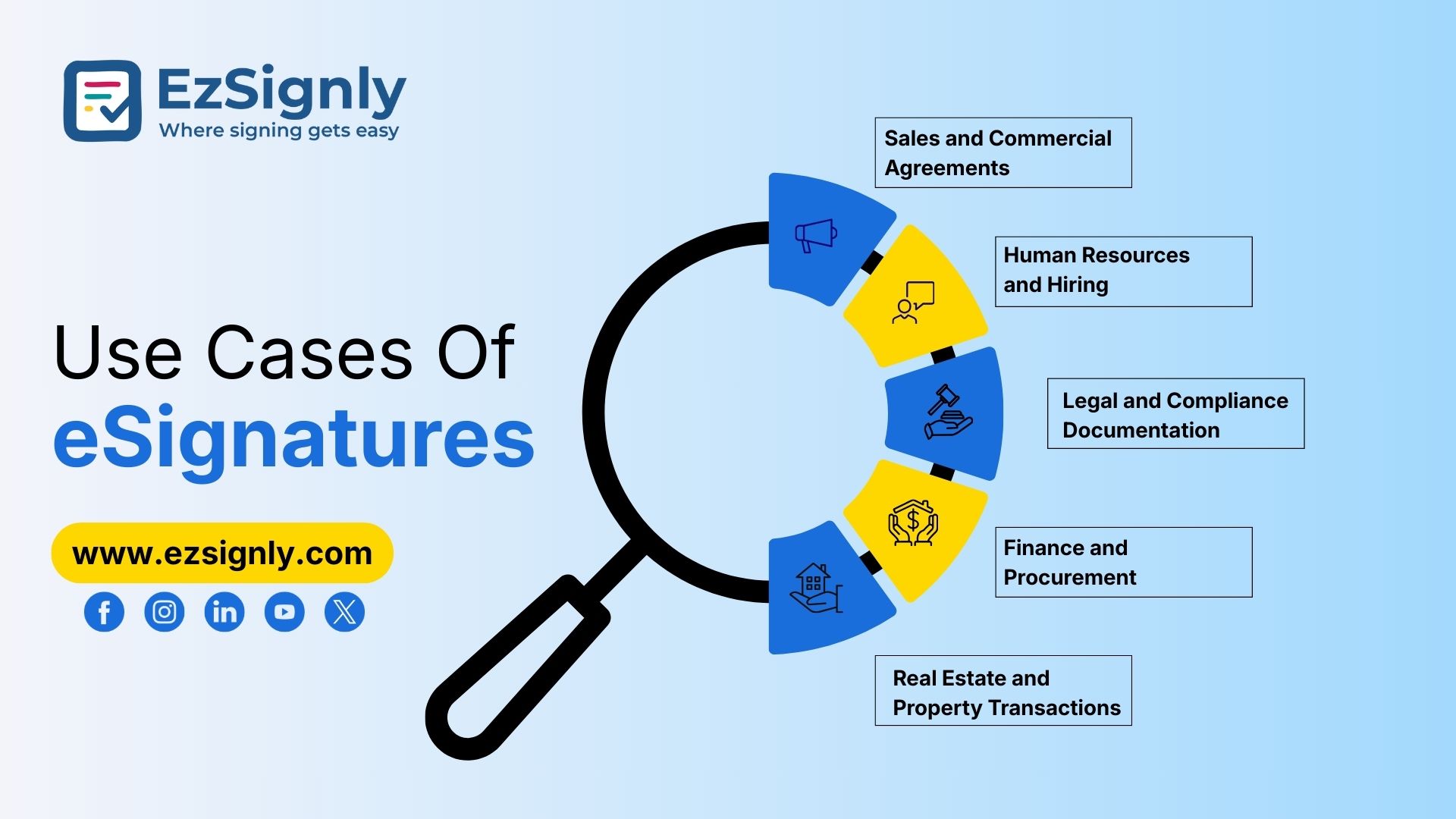
Specific Business Use Cases
Different departments have different priorities, but all benefit from eSignatures.
- HR and Workforce Management
HR departments use esignature software for HR in Illinois to quickly handle offer letters, onboarding forms, policy acknowledgements, and contractor agreements. Digital signing reduces time-to-productivity for new hires.
- Legal and Compliance
Legal teams need solutions that handle more sensitive paperwork. Whether it’s contracts, NDAs, or compliance forms, choosing an eSignature tool for Legal documents in Illinois ensures that signed documents are defensible, auditable, and secure.
- Sales and Customer Agreements
Sales teams can accelerate deal cycles when contracts and proposals get signed in minutes rather than days. eSignatures help improve conversion rates.
- Finance and Procurement
Documents that need to be signed by vendors, such as
vendor contracts, may require multiple signatures. Electronic signing
eliminates any delay due to back-and-forth emailing by using sequential
signing.
Evaluating Pricing Without Losing Sight of Value
It is easy to go with the lowest priced option available. However, the more intelligent consideration when evaluating esignature Pricing for all Businesses will be to ask "Will this investment make me less vulnerable or reduce my risk over time?"
If you want to review what all eSignatures have to offer, take your total costs for each plan and then map them back to the features that affect your team's ability to execute. Select the plan with the best ROI, not simply the lowest price.
EzSignly offers the best of both worlds, where you get
enterprise-grade facilities at a fraction of the cost of legacy tools.
Implementation Tips That Improve Adoption
Once you’ve chosen a platform, set it up in a way that drives adoption and impact:
- Train key users first so they become internal champions.
- Create standard templates for repetitive agreements.
- Integrate with your existing systems to reduce manual steps.
- Set up automated reminders to reduce follow-up work.
- Monitor analytics to see where bottlenecks occur.
These simple steps turn your eSignature platform into
a productivity tool, not just a signing utility.
Final Thoughts
In 2026, going with an electronic signature option in
Illinois is a good decision since electronic signatures will positively affect
your closing time, risk management and overall document workflow. Keep in mind,
choosing an eSignature software in Illinois isn’t only about the
purchase cost; it should also include features, security, being legally
compliant, ease of use and being scalable. The right choice will help you
utilize your electronic signature option throughout your business for reducing
delays and improving your compliance while allowing you to continue to work
with confidence.
FAQs
1. What should businesses look for when choosing eSignature software in Illinois?
Businesses should prioritize legal validity, audit trails, encryption, templates, automated reminders, and ease of use, especially if documents may need to be retrieved or defended later.
2. Is eSignature software legally valid for HR and legal documents in Illinois?
Yes. Most HR and business contracts can be signed digitally, as long as the signing process captures intent, consent, and maintains proper records such as audit logs and completed copies.
3. How do businesses evaluate eSignature pricing for all businesses in 2026?
In 2026, pricing is evaluated based on value, how well the tool reduces follow-ups, speeds up execution, supports compliance, and scales across teams, not just the lowest subscription cost.
Take a look at the latest blog
Hellosign vs EzSignly Which eSignature Features Improve Workflow Automation: Book a Demo
Discover eSignature features that simplify document signing and improve workflow automation. Book a demo today.
May 22, 2026
AI-Powered Contract Management to Reduce Small Business Bottlenecks Using eSignatures: Signup Now
Reduce contract delays with AI-powered eSignatures and smart automation for small businesses. Sign up now to simplify workflows and close deals faster...
May 29, 2026
A Comprehensive Guide: To Sign Your Documents with E-Signatures Tool
In this guide, we will talk about the world of Free eSignature software, illustrating how you can us them to enhance your productivity and protect you...
January 13, 2026
Mobile eSignatures: How EzSignly Helps You to Sign Documents Anytime, Anywhere
EzSignly lets you sign documents anytime, anywhere from your mobile device quickly and securely.
March 6, 2026
Have any other questions? EzSignly's team is here to help!
© 2026 Copyright EzSignly. All Rights Reserved